An automated SEO report earns its place on your desk when it pulls Search Console, analytics, and rank tracking into one view instead of three separate tabs.
For client teams, SEO reporting software for clients replaces those disconnected tabs with a single decision-ready view. Even when teams define SEO through clicks and positions, those metrics show that something moved without telling you whether it mattered to the business.
A report that tells you a position drop only touched a low-value topic, or that a content refresh lifted revenue on a category page, is a different kind of tool. The best SEO reporting tools make that distinction clearly.
That is the gap CMAX, the Agentic SEO Platform, is built to close: connecting coverage gaps and page performance to the next action, so your reporting can sit in front of your CEO as a revenue conversation rather than a summary of site visits.
This Category Brings Your SEO Data Into One Decision-Ready View
Unified SEO Data View
Automated SEO reports combine Search Console (Google’s free tool showing which searches your site appears for), analytics, and rank tracking into one view. Your team sees visibility, sessions, and revenue signals side by side rather than logging into three separate platforms.
These reports also function as a SEO dashboard for teams that need a quick read on movement across channels. A website performance report adds page-level context when a product category loses conversions or order volumes shift.
Metrics Tied to Business Impact
A useful report on automated SEO shows whether search visibility moved qualified visits, stronger landing page performance, or actual conversions, not just clicks and positions. Search Console data in linked analytics reports is available up to 48 hours after collection and covers a maximum of 16 months.
That sets realistic expectations for freshness, seasonality, and trend analysis, and turns the report into a planning tool: did a content refresh change revenue from a category page, or did a position drop only affect a low-value topic?
The Most Useful Reports Focus on the Signals That Drive Action
Action-Driving SEO Signals
Automated SEO reports track position movement, organic sessions, conversions, landing page performance, and search coverage together, because those five signals show whether a visibility change actually moved commercial outcomes.
Search Console and analytics link at landing-page level, with compatible dimensions including landing page, country, and device category. A drop can be traced to a specific page, a specific market, or a specific device rather than flagged as a site-wide problem.
When rank tracking software identifies a drop, those dimensions determine whether the change is isolated or site-wide. The most useful reports attach a next step to each signal: update a weak title, fix an indexing issue, or expand a page that is already converting.
Filtering Noise from Change
A spike or drop in automated SEO reporting can reflect a real shift or a reporting artefact. Reacting before checking the difference wastes time.
Think of automated reports like a car dashboard. Picture two drivers in identical cars.
The first sees the oil-pressure light and pulls over to check. The second assumes it is a glitch and keeps going.
Same tool, same data, different outcome. The difference is not the car; it is the judgement of whoever is driving.
In this context, automated SEO reporting means the platform surfaces the signal, but the outcome depends on how your team is trained to read and ACT on it.
Google states that filtering Search Console data by query or URL can change report totals due to anonymised queries and data truncation. Trustworthy reports surface the filtering rules and segment logic applied, then pair trend lines with cuts by device, country, or landing page before calling any movement genuine.
Clear filtering rules also make Google analytics reporting more useful when anonymised queries, data truncation, or device segments alter the totals shown.
The Best Reporting Setup Explains What to Do Next, Not Only What Happened
Next Actions, Not Raw Metrics
Unlike passive summaries of site visits, automated SEO reports turn patterns into priorities. Pages that lost impressions but kept positions can point to shrinking demand.
Pages that gained impressions without clicks often have weak titles and snippets worth fixing. Reports also show which templates, topics, or sections drive conversions, so SEO activity gets discussed in revenue terms.
Content, product, and commercial teams can then decide which pages to refresh, which sections need stronger internal links, and which topics deserve more coverage.
For broader visibility planning, Perplexity SEO becomes a useful lens when answer-engine performance needs to be separated from conventional organic reporting. Effective white label SEO reports separate answer-engine visibility from conventional organic positions rather than combining both into an unexplained score.
CMAX Links Data to Action
CMAX is the Agentic SEO Platform, trained on human-reviewed, client-approved content, so reporting connects coverage gaps, page freshness, and internal linking opportunities to the next actions most likely to lift search and AI visibility.
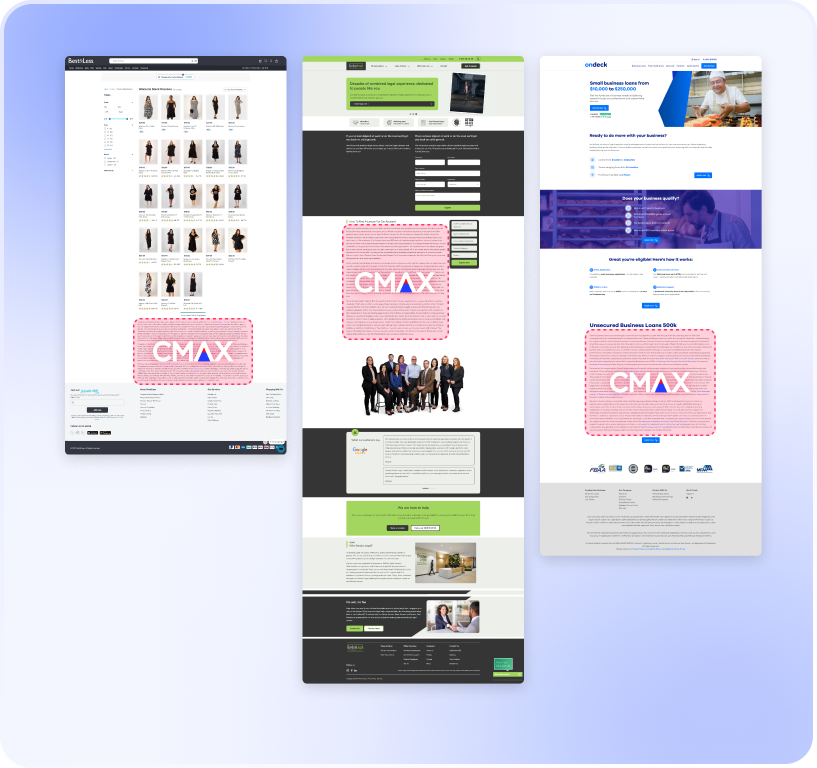
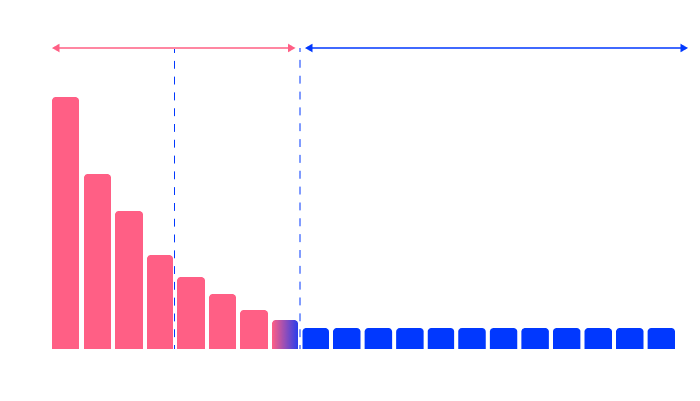
Over 90% of search and AI demand is in the long tail, meaning the specific, detailed searches people type rather than short general terms. Automated SEO reports are most useful when they show where your content surface area is too thin to capture demand in a category.
That shifts reporting from passive monitoring to a clear queue of pages to expand, refresh, or connect.
For sector-specific planning, SEO for hotels helps teams spot destination, property, and accommodation gaps that broad session totals may conceal. In hotel accounts, SEO reporting tools for agencies can expose missing destination, property, and accommodation coverage that broad session totals hide.
Frequently Asked Questions
How Often Should I Generate or Review an Automated SEO Report?
Most teams get the most value from automated weekly reporting paired with a deeper monthly review. Weekly automated SEO reports combine position data, organic sessions, and conversions into an actionable view; the monthly review interprets those patterns against content releases, technical changes, and conversion data.
If your automated SEO reports pull linked Search Console data, Google notes that dataset can appear up to 48 hours after collection, so daily snapshots risk overstating short-term noise. Schedule an out-of-cadence review of technical SEO after migrations, major page launches, or significant position shifts.
After a migration or major page launch, an SEO audit report documents indexing, page-performance, and position changes outside the regular monthly review.
Why Do GA4 and Search Console Show Different Numbers?
The two tools measure different things. Search Console reports search-result interactions such as clicks and impressions.
GA4 reports on-site sessions and users. A practical SEO report template separates Search Console clicks and impressions from GA4 sessions and users because the platforms measure different events.
Search Console data can also show different totals when filters are applied, because Google states query and URL filtering is affected by data truncation and privacy protections. Reliable SEO ranking tools disclose how privacy protections, query filters, and URL filters can change the totals displayed in Search Console.
How Do I Track Branded vs. Non-Branded Performance?
Search Console includes a branded and non-branded queries filter, so you can separate brand-name searches from broader discovery queries without building the split manually. Google also supports RE2 regex filters in Performance reports for finer control over brand terms, misspellings, or product names.
Non-branded performance is the sharper signal for category visibility and new customer discovery. Once branded queries are separated, automated SEO reports show whether broader category visibility is producing new customer discovery.
Automated SEO Reports Turn Data Into Next Actions
Automated SEO reports are most useful when they help a team decide what to change next, not just review last week’s numbers. CMAX connects each website performance report to coverage gaps, position movement, page freshness, internal links, and revenue impact.
The result is reporting that keeps attention on the pages and priorities most likely to change performance.
That fits the reality of search today. The vast majority of search and AI demand sits in the long tail, and AI has expanded the number of ways people search.
Most demand sits in questions and phrases that never appear in a standard keyword position report. If reporting shows clicks and positions without showing where your site is thin, stale, or disconnected, it misses the reason performance moves.
CMAX targets the long-tail majority of search demand. The platform connects reporting to implementation, so for teams ready to get SEO services the next step is a clear queue of actions: expand a category, refresh a page, or strengthen the pages around it to improve search and AI visibility.
Clients see first clicks in 6-8 weeks, with programmes maturing around month six.
The fastest way to find your gaps is to see where your reporting is already leaving demand on the table. If you’re curious as to how you’re performing on AI, book in a Missing Customer Map review with our Growth Team.
Author
Jeremy Tang
Founder and CEO of CMAX
Jeremy Tang is the Founder and CEO of CMAX. With over 2 decades of experience in business consulting and digital marketing, he has successfully driven seven startup businesses, six of which achieved $1 million in revenue from zero in less than 16 months, 5 of which grew to multi-million dollar a year ventures without any external funding. Jeremy's expertise lies in streamlining business processes through technology and leveraging digital (in particular SEO) for business growth. He resides in Australia, travels extensively, and draws inspiration from his global experiences.